Mask & Ask a plugin for ChatGPT
Hide the names.Ask the question.
Mask & Ask hides names, numbers and IDs in your browser before ChatGPT sees the text. Then it puts them back into the answer, on your screen only.
You need advice on something confidential.
Asking means sharing a name, a salary, an ID.
So you rewrite it by hand. Or you don't ask.
Mask it first.
How it works
- 01
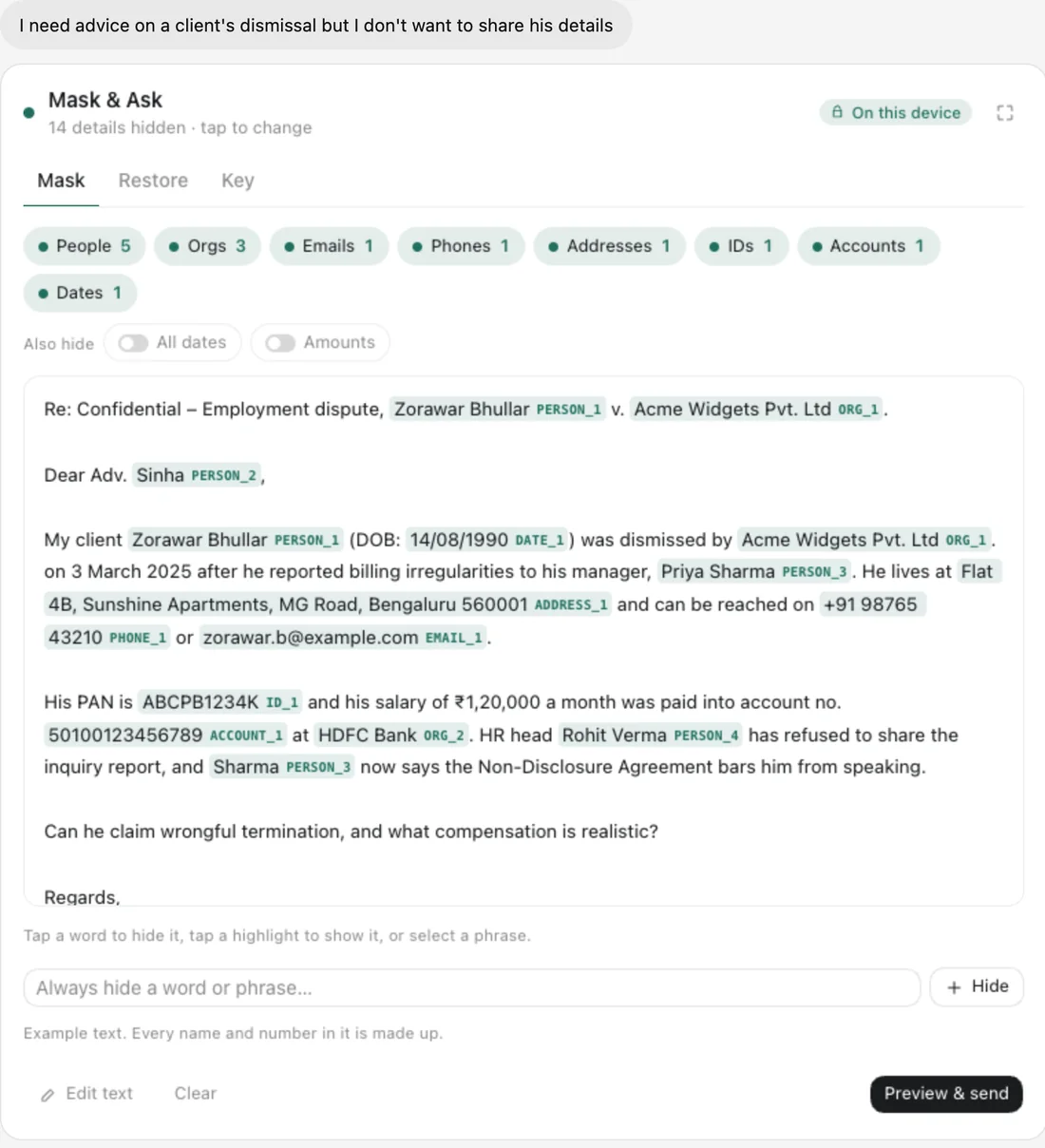
Paste and review
People, companies, emails, phones, addresses and IDs are found and hidden. Tap anything to change it.
- 02
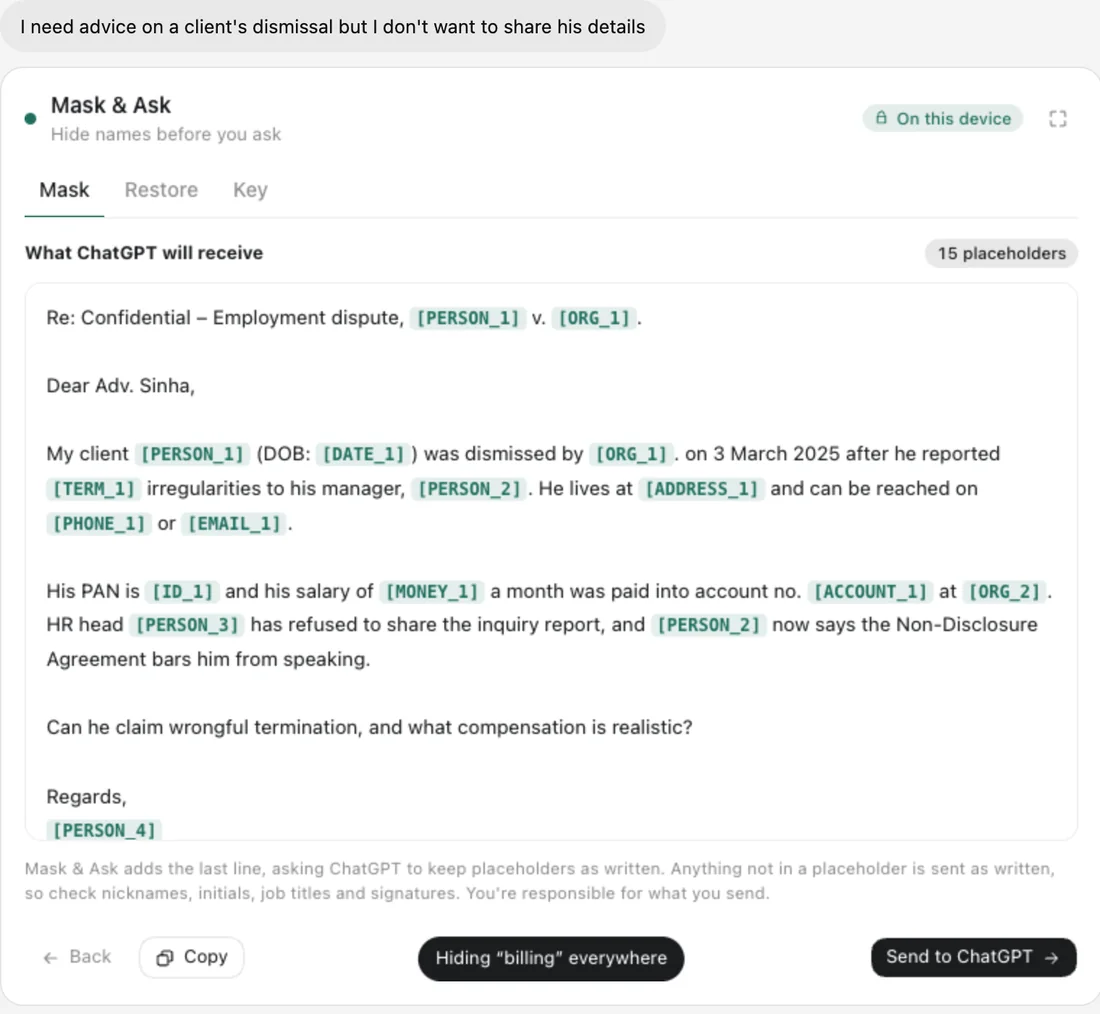
Send the masked version
You see exactly what ChatGPT will see. Only that leaves your screen.
- 03
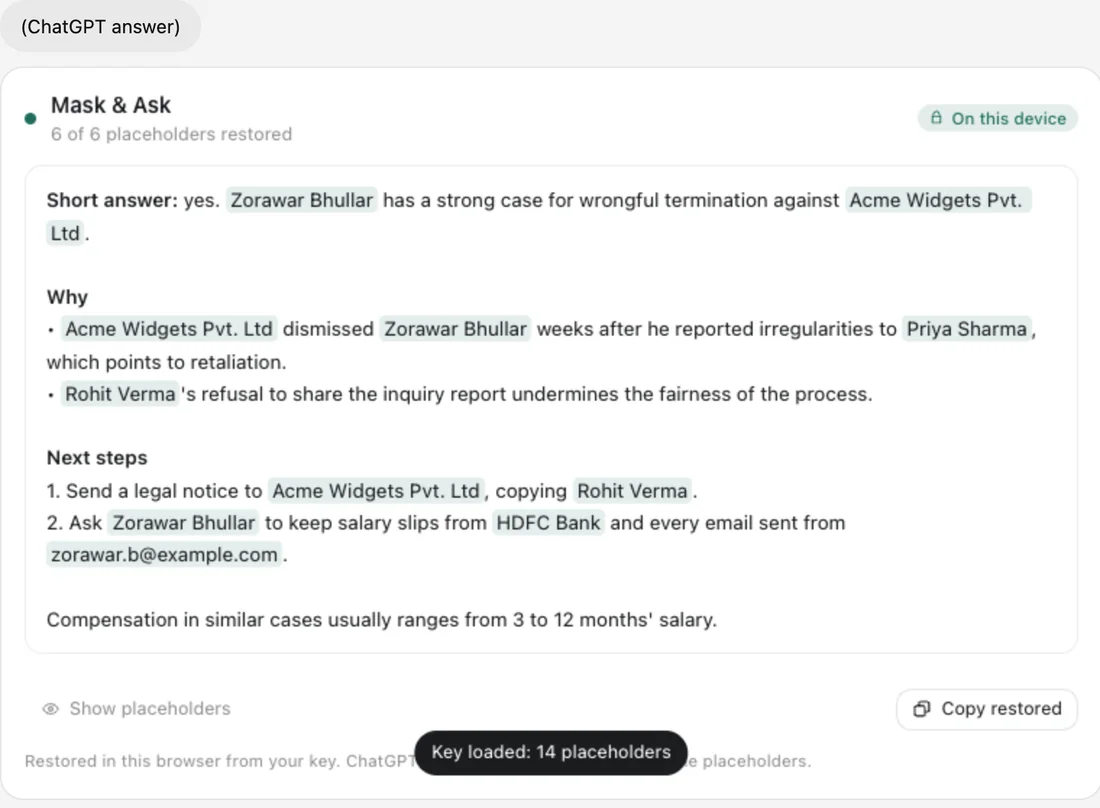
Restore the answer
Real names come back into the reply, on your device.
What it does
In your browser
The plugin never sends your original text to us or to ChatGPT.
Consistent placeholders
The same person is always PERSON_1.
Indian and global formats
Aadhaar, PAN, IBAN, card and phone numbers.
You decide
Tap to hide or show anything. Add your own terms.
Forget in one tap
Clear the key the moment you're done.
Your data
What we keep
- Nothing. The key stays on your device.
What we never do
- We never receive your original text.
- We never store the answer.
ChatGPT sends an anonymous id, never your name or email. We store only a one-way hash of it. Read the privacy policy
Questions
Is it perfect?
No detector is. Check the preview before you send. That's what it's for.
Where is the key kept?
In your browser, for up to a day, or wherever you save it.
Mask & Askis almost in ChatGPT.
It's on its way to the ChatGPT Plugin Directory. In developer mode, you can add it today with this address.
https://mask-and-ask.auteurhq.com/mcp